
● BULK CONFIGURATION
Redesigning a Setup Workflow for Scale
A 50 device deployment took 16.7 hours of retyping data the system already had. It became 3.7.
Verizon · 50-site commission

ROLE
Lead designer - end to end
TIMELINE
Phase 1 - 4 weeks
Phase 2 - 18 weeks
TEAM
UX
Designer
Data Scientist
Product Manager
Principal Architect
Product Line Manager
Software Engineers
● 01 THE PROBLEM
One device at a time
To commission a single device, a technician faced five screens of blank fields: regulatory bands, antenna gains, frequency settings, beam parameters. All entered by hand. Nothing carried from the last device. Nothing seeded the next.
Repeated for every. single. device.
But those values weren't unknown. They already lived in regulatory tables, antenna catalogs, the install pipeline. The tool asked people to hand-enter what it could have known. At fifty devices, that was 16.7 hours of it.

● 02 THE CHALLENGE
Deployments grew to 50 or 100 units at a time
At one or two devices, retyping everything was tedious but survivable. Then deployments scaled with the business: 50 units per city, then 100. The same manual flow that cost a few minutes per device now cost 16.7 hours per deployment, and the queue kept growing. The annoyance had become the ceiling on how fast the company could expand.
1–2 → 100
devices per deployment
The batch size the same manual flow suddenly had to absorb.
16.7 hrs
manual setup per deployment
Every field hand-entered, every time.
0
values reused between devices
Nothing carried over. The system already had them.

● 03 RESEARCH & DISCOVERY
Four weeks shadowing the people who lived it
To find the root cause, I spent four weeks across three regional markets: 12 deployment shadowing sessions and 14 interviews, 8 field technicians and 6 network engineers.
We mapped the real workflows, and the workarounds that had quietly grown up around the tool.


Field Deployment Research
Shadowing real technicians in the field revealed critical gaps between intended and actual workflows.
Two users the tool failed in opposite ways
Research revealed two distinct user groups with fundamentally different needs and a single bulk solution wouldn't work for both.
"I just copy settings in a spreadsheet and hope for the best."

"It takes me 20 minutes per unit. We have 50."

Novice Technicians (Field contractors)
-
Often new to the system and working under time pressure
-
Lacked feedback on what to enter or when
-
Repeated trial and error attempts before success
-
Frequently called support mid-deployment to confirm next steps
Expert Users (Network engineers)
-
Experienced in managing enterprise-scale deployments
-
Wanted to bypass unnecessary steps
-
Found the UI too slow and repetitive for large rollouts
-
Built custom spreadsheets as workarounds
Users built what the product didn't give them
Users weren't failing. They were adapting. Spreadsheets to batch data, handwritten notes to track steps, whiteboard sketches to map dependencies.
The guided step-by-step flow wasn't built for the scale expert engineers needed, or the clarity novice technicians required. So teams split their work across multiple tools just to stay operational.
When users build parallel systems outside your product, it's not a UX issue. It's a signal that the product has stopped meeting them where they are.
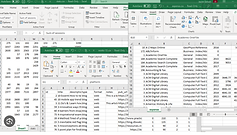


What the research found


60%
of users had built their own workarounds
Spreadsheets to batch data, handwritten notes to track steps, side tools to stay operational. That investment is why the rollout was phased, not rebuilt.
"We’ve spent months perfecting our setup process. My team knows exactly how I like things configured. If you change everything, we’re back to square one."
Mike Walker
Senior Network Engineer
● TEAM ALIGNMENT
Data-Driven Evidence
I synthesized and presented three critical findings to help the cross-functional team reframe the decision:
THREE FINDINGS, ONE REFRAME
USER RISK
6 to 8 wks to relearn a system from scratch
TIME-TO-VALUE
A full rebuild ships a year late, competitors don’t wait
USER BEHAVIOR
60% already adapted with their own workarounds
REFRAMED THE QUESTION
Should we rebuild the whole system?
How do we phase it without losing what works?
● STRATEGIC DECISION
Strategic Design Approach
Stabilize Now, Transform for Scale
Research showed that 60% of users had built sophisticated workflows around the existing system, while daily errors and workarounds were slowing teams down right now. A full redesign wouldn't reach them for a year. So I proposed stabilizing the current experience first. That gave users faster relief while buying the team the time and real usage data to properly architect Phase 2. The pressure was to rebuild. The right move was to stabilize first, then rebuild with evidence.

● DESIGN SOLUTIONS - PHASE 1
Stabilize the Core Experience
The goal for Phase 1 was to stabilize the core experience so both novice and expert users could complete setups accurately, consistently, and with fewer errors. This phase wasn't glamorous, but it was critical. Resolving these low-level friction points created a reliable foundation, gave users the clarity and consistency they needed, and unlocked the more advanced workflows that came in later phases.
The system fills in what it can source. The human verifies what only they can judge. Every suggestion carries a one-click rationale, so trust is earned, not assumed.
STARTING POINT
Fields arrive pre-filled. The user reviews instead of types.
Each wizard step opens with the right values already in place. The user scans, accepts what's correct, and only stops on fields that need on-site verification: beam width, tilt, azimuth. Those get a quiet amber flag and a one-click rationale showing where the suggestion came from. The five-step structure was kept from the baseline wizard, to minimize adoption risk while the pre-fill logic itself was still new.

Testing surfaced something sharper: once the fields are pre-filled, each step becomes a Next click through a screen the user had nothing to change. [PLACEHOLDER — replace: "4 of 5 engineers in usability testing described clicking through pre-filled steps as pure friction."] The five-step structure wasn't preserving anything — it was just pacing the user through work that no longer existed.
WHAT SHIPPED
No steps. The whole device fits on one scrollable page.
This shipped as one page with a sticky table of contents that summarizes attention ("Beam Settings: 2 fields need review"). The user scrolls top to bottom, fixes the flagged values, hits commit. Routine commissions become a scan and a click.

The pattern here — fields pre-filled, human review only where it's needed — is what Phase 2 scales from one device to fifty.
● DESIGN EXPLORATION - PHASE 2
Scale - Bulk Setup Capabilities
With the foundation stabilized, we re-architected the setup experience around a modular Select, Template, Customize, Deploy framework. This enabled fast, consistent configurations across 50+ units at once, replacing the repeated five-step manual flow that had made large deployments so time intensive.

Select
Multiple devices using smart grouping and filters
⇢

Template
Apply best-practice defaults
⇢

Customize
Fine-tune settings with rule-based suggestions
⇢

Deploy
Parallel deployment with real-time validation
VARIANT 1
The user stops opening the wizard site by site.
ivot's turn-key programs push dozens of repeaters through a deployment pipeline that already knows most of each site's configuration. This first version lets the program manager overseeing the rollout land on the program itself, not a blank device screen. They see all sites by pipeline stage, pick the eight that are ready, commit them as a batch. Twenty wizard sessions become one program session. Flagged sites stay open for individual review.

VARIANT 2
Higher-stakes batches get four steps of breathing room.
Some batches are large, mixed, or regulatory-sensitive. The program manager wants a moment between decisions. This version splits the bulk review into Selection, Configuration, Validation, Confirm. Same outcome as the first version, but each decision sits on its own. The underlying finding: speed vs. deliberation isn't a question of who the user is, it's a question of what kind of batch they're committing.

VARIANT 3
The user picks the pacing per batch: single review or four steps.
A clean batch of three sites and a mixed batch of twenty with regulatory exposure shouldn't feel the same. This version holds both modes inside one review surface with a Review in steps link that flips between them. The user chooses. This resolved the pacing question, but the review still lived inside a modal, with the table hidden behind a backdrop the moment the user needed to verify it.

● FINAL SOLUTIONS
Bulk commissioning becomes a page. The canvas matches the work.
Committing six sites that each take minutes to come online deserves more than a centered popup. This design moves the bulk review out of a modal and into a sub-route of the program: full canvas, table is one breadcrumb away, URL is shareable with a teammate, opening a flagged site for individual review returns the user to the bulk page where they left it. Twenty sites become one page of decisions, not twenty trips through anything.

Across both scopes, the user's experience converges on the same shape: a page, a sticky table of contents pointing to what needs attention, a single primary action. Whether they're commissioning one device or twenty, the surface respects what they're actually doing, reviewing data that already exists, and gets out of their way.
● THE IMPACT
Results, by phase
PHASE 2 • BULK COMMISSIONING
65%
Deployment time reduced
50 device deployment: 16.7 hours → 3.7 hours
PHASE 1 • STABILIZE NOW
45%
User satisfaction increased
Rating improved from 2.8/5 to 4.1/5
PHASE 2 • BULK COMMISSIONING
10x
Deployment scale capability
From 5 devices to 50+ devices per run
PHASE 1 • STABILIZE NOW
3.7x
Template adoption increased
20% of setups started from a template → 74% today
PHASE 2 • BULK COMMISSIONING
Enabled the turnkey expansion
The bulk setup capability directly unblocked the company's planned large-scale city rollout, the program that made 50-device deployments a routine unit of work instead of an edge case.
[Quote placeholder: what changed day-to-day for a field tech or PE once the wizard shipped with disclosure + revert.]
“
Mike Walker
Senior Network Engineer
"
[Quote placeholder: what changed day-to-day for a field tech or PE once the wizard shipped with disclosure + revert.]
“
Mike Walker
Senior Network Engineer